
Key takeaways:
- If you can’t trust your data, you can’t trust the automation or AI built on top of it. Validation is the control layer that makes everything downstream reliable.
- Cover geometry, schema, and attribute validation to catch the most common ways data goes wrong.
- Don’t stop at the first error; accumulate all failures into a clear, human-readable report that tells people exactly what to fix and where.
- Automate validation so it runs the moment data arrives, and push it to the source by giving submitters self-service tools with instant feedback.
- AI outputs need the same scrutiny as any other data source. Use structured schemas to constrain responses, then validate before anything reaches production.
A single mislabeled utility line triggered a disastrous oil spill in Burnaby, BC, in 2007. An excavator crew was working from a map that didn’t accurately reflect where the pipeline was buried, resulting in a geyser of crude oil shooting into the air in the middle of a residential suburb.
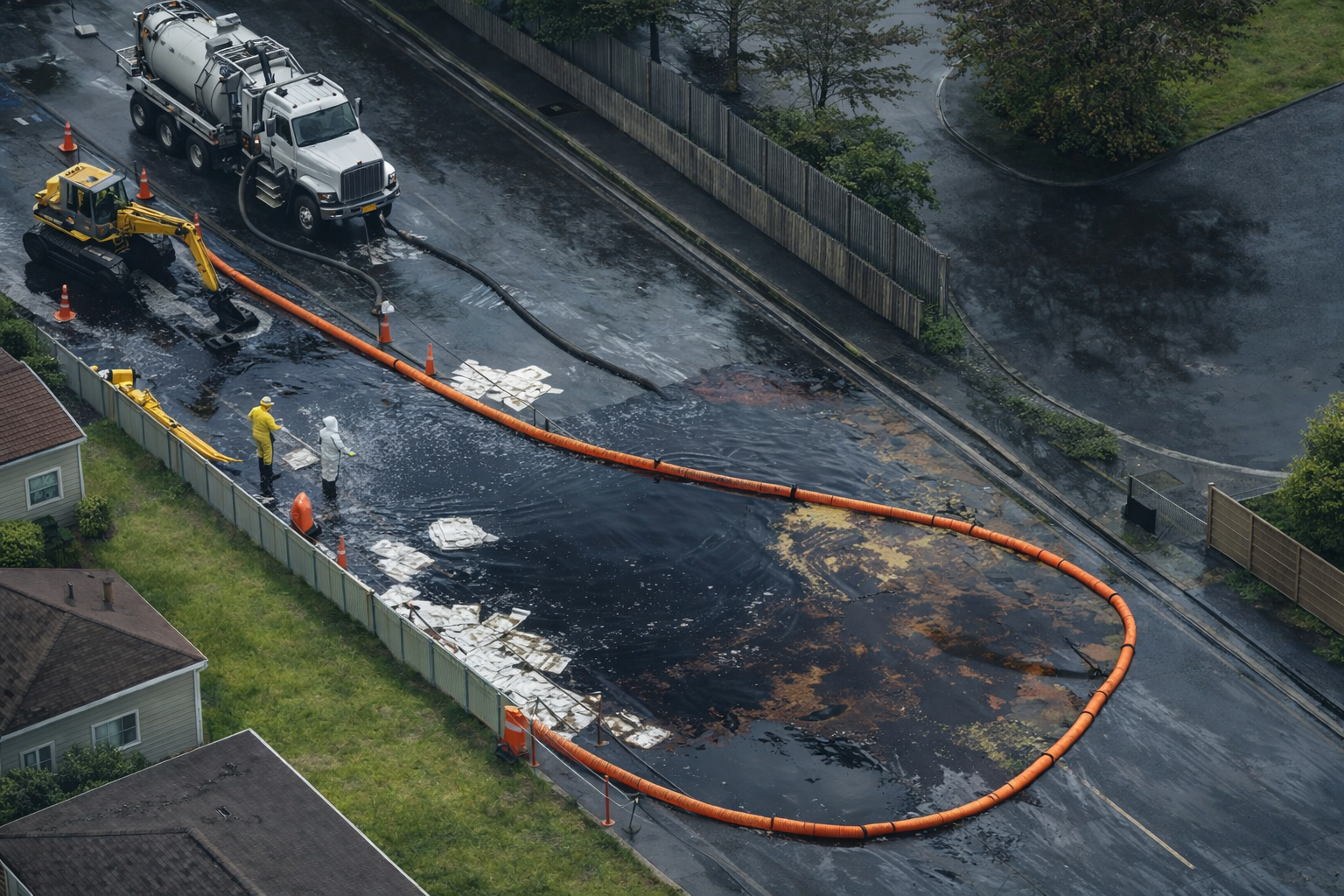
Mistakes like this can happen when an organization moves quickly to automate without first building a strong data quality foundation. The principle holds whether you’re routing emergency vehicles, loading records into a database, or feeding inputs to an AI model: garbage in, garbage out.
Here are some tips on building data validation workflows in FME that catch problems early, report them clearly, and slot into automated pipelines, enabling the humans and systems downstream to trust what they’re working with. For a deep dive into this topic, watch our webinar, From Data Validation to Data Value: Building Workflows You Can Trust.
What “Data Quality” Actually Means
Data quality is a cluster of related properties:
- Accuracy — does the data reflect reality?
- Completeness — are required fields populated?
- Consistency — do related records agree with each other?
- Validity — does the data conform to the expected format and rules?
- Veracity — is the data from an authoritative, trustworthy source?
- Uniqueness — are there duplicate features that shouldn’t exist?
Validation is the practice of systematically checking data against these properties and surfacing failures before they cause downstream harm. It’s not a one-time exercise, but a layer you build into your data pipelines so every update, file upload, and API response gets evaluated the same way.
The Three Layers of Data Validation
Most validation problems fall into three categories. Addressing all three gives you broad coverage.
1. Geometry Validation
For spatial data, geometry errors are often the most immediately visible and the most likely to break downstream processing. Common problems include:
- Degenerate geometries: features that are corrupt, null, or geometrically impossible.
- Non-compliant geometries: shapes that don’t meet the spatial standard expected by the destination system (e.g., OGC Simple Features compliance for a PostGIS database).
- Coordinate system mismatches: data in the wrong spatial reference.
A good geometry validation workflow runs checks in a specific order: first screen for corrupt or null geometries, then test for compliance with the destination standard. This tiered approach means you’re not wasting time running complex compliance checks on broken data.
When a geometry fails, the validator should try to repair it where possible, route repaired features onward, and write problem features (with their coordinates and a description of the failure) to an error log.
In FME, the GeometryValidator transformer handles this: it tests against user-defined rules and can repair features that fail those tests. Companion transformers like the GeometryFilter, CoordinateExtractor, and CoordinateSystemExtractor help route, inspect, and reproject geometries along the way.
2. Schema Validation
Schema drift is one of the most common sources of pipeline failures. A data supplier renames a field. A new column appears. A field that was previously required is removed from an upstream system. When this happens without warning, downstream processes break or populate the wrong fields.
A schema validation step compares the incoming data’s structure with the expected schema of the destination. It checks that field names match, data types are correct, and no required columns are missing. If the incoming data doesn’t match the expected schema, the validation fails before any records get written, and a clear error message explains exactly what drifted.
In FME, you can build this by reading the incoming structure with a schema or feature reader, capturing the destination structure the same way, and feeding both into a ChangeDetector configured to flag name drift. For format-level checks, the XMLValidator and JSONValidator confirm that data conforms to an external schema.
3. Attribute / Value Validation
Even when the schema is correct, the values inside the fields can be wrong. Attribute validation checks the actual content of your data:
- Is this field within the expected numeric range?
- Is this date in the correct format?
- Is this required field populated?
- Does this value match the allowed set (e.g., “N”, “S”, “E”, “W” for travel direction)?
- Does this field conform to a regex pattern?
When an attribute fails validation, the record should be flagged with a clear message identifying which rule it violated. That message should make the feedback actionable for whoever has to go fix it.
In FME, the AttributeValidator transformer covers these checks (data type, uniqueness, nullity, numeric range, and regex patterns) and writes an attribute to each failed record, naming the exact rule it broke. Transformers like the Tester, TestFilter, and AttributeRangeFilter handle simpler conditional routing.
Fail Fast, Report Thoroughly
One of the most important principles in validation design is: don’t stop at the first error.
A validation system that reports a single failure per run forces users into a loop: fix the reported problem, resubmit, discover the next problem, fix that, resubmit. A far better approach is to accumulate all errors across a submission, then generate a comprehensive report.
That report should:
- Describe each error in plain language
- Identify exactly which record or feature is affected
- Include location data (coordinates, record IDs) so the problem can be found and fixed
- Be readable by people who don’t have specialist software
An HTML report that anyone can open in a browser is far more useful than an error buried in a log file.
The goal is to give data providers actionable feedback immediately. The longer the gap between submission and error notification, the harder it is to fix problems and the less likely they are to get fixed at all.
FME’s HTMLReportGenerator builds a report that can combine a table of errors with a map showing where each problem feature is located, and the same accumulated errors can just as easily drive a PDF instead.
Automation: From Manual Checks to Production Pipelines
Running validation manually is better than not running it at all, but it still creates bottlenecks: someone has to remember to run the check and look at the results. This is why it’s valuable to automate the validation pipeline so it runs as soon as new data arrives.
This is where FME Flow comes in: publish the workspaces you authored in FME Form, then orchestrate them as an automation.
A well-designed automated validation pipeline works like this:
- A trigger watches for new data. For example, whenever a new file lands in a directory, the pipeline kicks off automatically.
- Workspaces run in sequence. Schema validation runs first. If it passes, attribute validation runs. If that passes, the data is written to the production database. Each step can be chained to the next, with outputs passed downstream.
- Notifications go out immediately. Whether validation passes or fails, the right people get an email with the results, including the full HTML validation report as an attachment.
- Different outcomes trigger different paths. A workspace failure (the process itself breaks) generates a different notification than a validation failure (the data didn’t meet the rules). This makes it easier to distinguish a data quality issue from a system issue.
This approach turns data validation from a reactive, manual step into a proactive, always-running layer.
Self-Service Validation for Data Submitters
A recurring bottleneck in data workflows is that people submitting data have to wait for a GIS or data team to validate it. This delays everyone and creates unnecessary back-and-forth.
A better model is to give submitters a self-service validation app. They upload their file, the validation logic runs, and they see results immediately in their browser without needing any specialist software or training.
An FME Flow App does this by exposing a published workspace through the browser: the data streaming service streams results back instantly, or the data download service returns them as a downloadable zip. You control which parameters users see (for example, exposing the source file as a published parameter so they can upload their own) and which resource folders and connections they can reach.
This approach has several advantages:
- Errors get caught and fixed much earlier in the process, when they’re cheaper to address.
- The GIS or data team stops being a bottleneck for routine submissions.
- Validation is standardized. Everyone runs the same checks, so there’s no ambiguity about what “valid data” means.
- Access can be controlled, so different groups can be given access to the right validation apps.
The validation logic lives in one place. When the rules change, you update the workspace once, and the change is immediately reflected for every user running the app.
Validating Against Industry Standards
For many organizations, data quality also involves compliance with external standards. Regulatory requirements, data-sharing agreements, and interoperability with other systems all depend on data that meets a defined specification.
For example, NextGen 911 (NG911) is an initiative migrating North American emergency services from analog, voice-based dispatch to a fully digital, IP-based system that can handle text, real-time data, and precise GPS location. The underlying data model, governed by the NENA GIS Data Model standard, defines exactly how address points, street centerlines, and service boundaries must be structured.
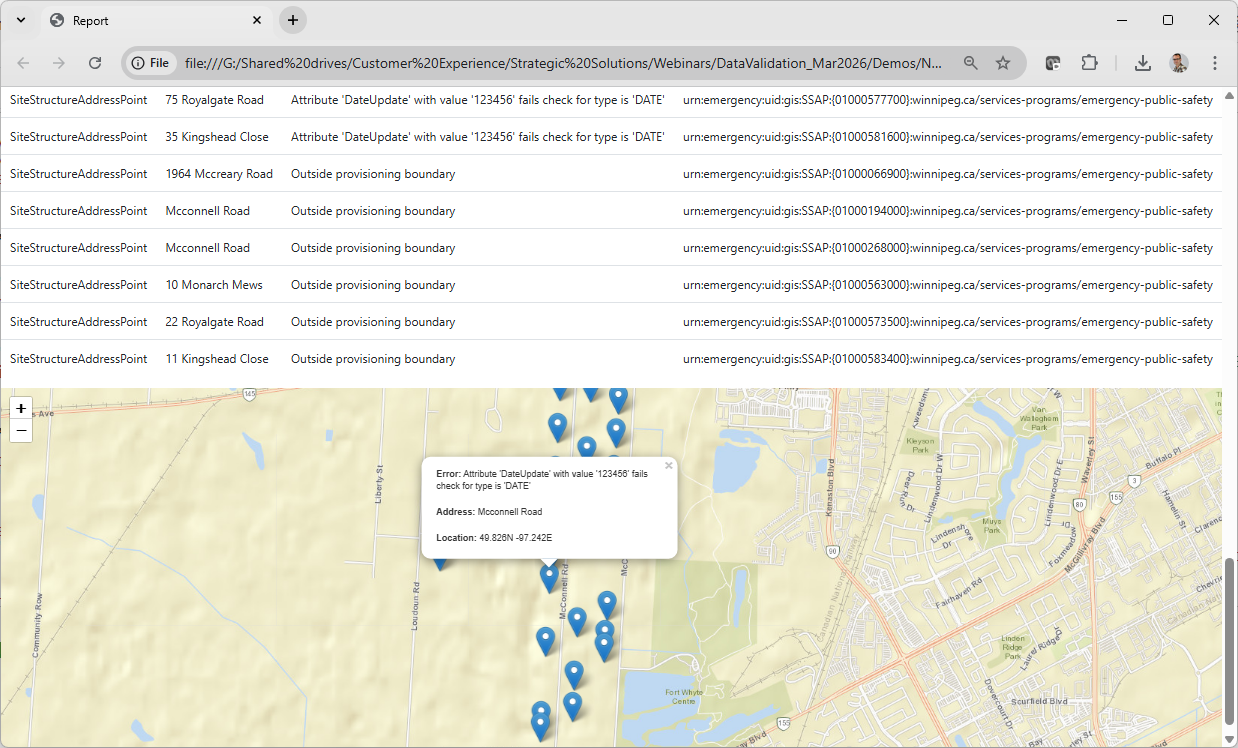
Validating against this standard means checking that:
- All required fields are present
- Field names match the schema exactly
- Data types are correct
- Address points fall within the service boundary
- There are no duplicate IDs or overlapping address ranges
- Updates are propagated within the required timeframe set by the governing authority
The same validation framework applies to any situation where data must conform to a defined standard, such as environmental reporting, building information modeling, cadastral data exchange, and so on. The specific rules change, but the approach doesn’t.
AI Integration: Trust But Verify
AI tools are increasingly used to extract structured data from unstructured sources, such as PDFs, natural language descriptions, and documents that would be time-consuming to parse manually. But AI outputs need validation just like any other data source. Models can hallucinate values, misread fields, and produce incorrect outputs. Before AI-extracted data reaches a production system, it should pass through the same validation logic you’d apply to any other input: attribute rules, format checks, range validation, and JSON schema validation.
The pattern that works well is:
- Use an AI model to extract structured data from source documents. FME provides connector transformers for this, such as the OpenAI and Gemini connectors, which can replace a chain of manual parsing transformers with a single prompt.
- Specify a JSON schema for the response. This constrains the model’s output to the exact structure you need. The GoogleGeminiConnector, for instance, can read a JSON schema from a text file and use it to control the response structure directly.
- Route the AI’s output through a JSONValidator (to confirm the response is valid JSON) and an AttributeValidator (to confirm the values meet your business rules).
- Pass clean, validated data onward to downstream systems; route failures to an error report.
Using structured output schemas with AI models consistently improves response quality. When you tell the model exactly what format and data structure you need, you get more reliable results and make downstream validation easier.
The same principle applies to using AI to retrieve or generate reference data. If you’re asking an AI to populate a list of addresses, for example, you can validate those addresses against the same schema you use for human-submitted data, and the failures will tell you where the AI went wrong.
Common Pitfalls to Avoid
Incomplete validation that stops at the first error. A pipeline that trips on one problem and stops gives you a drip-feed of issues rather than a full picture. Build workflows that accumulate errors and report them all.
Silent failures. A job that completes without reporting that it skipped or dropped records is worse than a job that fails loudly. Trap errors explicitly.
Feedback buried in logs. Error messages that only appear in system logs aren’t useful to the people who need to fix the data. Surface them in readable reports.
Out-of-sync metadata. Metadata is often how downstream systems and AI tools know what data is available and how to use it. When the underlying data changes but the metadata doesn’t, you create a gap that causes failures and confusion. Automate metadata harvesting to keep it current.
Validating only at the end. By the time data reaches the end of a pipeline, fixing problems is expensive. Validate early (ideally at submission) and often throughout the process.
The Bottom Line
Validation is the control layer that makes automation and AI trustworthy at scale. Without it, automated pipelines propagate errors faster and further than any manual process could. With it, you can accept data from more sources, process it with less manual intervention, and have confidence that what reaches production is actually correct.
The core practices are straightforward:
- Start with basic checks (corrupt geometry, schema mismatch) before running more detailed validation.
- Accumulate errors and report them all, not just the first one.
- Generate clear, human-readable reports with enough information to act on.
- Automate the pipeline so validation runs when data is submitted.
- Give data submitters immediate, self-service feedback rather than making them wait.
- Apply the same validation logic to AI outputs as to any other data source.
Good data governance is what determines whether your organization’s systems and decisions can be trusted. To learn more about data validation in FME, visit our resources: