

In a recent webinar, members of the Safe Software team shared their favorite new FME improvements. Here are five FME enhancements that are set to change the way you work in 2026, whether you’re building complex automations, authoring Python-heavy workspaces, or just want to streamline the way you build workspaces.
For a deep dive and live demos, watch the webinar, Safer’s Picks: Recent FME Enhancements with Big Everyday Impact.
1. Respond to live data with Dynamic Parameters in FME Flow Apps
Dynamic parameters let your FME Flow Apps adapt at runtime. Instead of relying on static dropdowns or manually maintained parameter lists, parameters can now be populated dynamically from helper workspaces, external APIs, or URL-based JSON configurations.
The result is Flow Apps that reflect your data’s current state every time they’re launched. If a database table changes, new categories are added, or service codes evolve, your app updates automatically without needing to be republished.
This reduces manual maintenance, lowers the risk of outdated options, and makes it far easier to build truly interactive, data-driven apps. If you’ve ever wished Flow Apps behaved more like real applications than static forms, this enhancement delivers exactly that.
2. Edit Python scripts in an external Python editor
As Python scripts grow more complex, the limitations of an in-app editor become more noticeable. FME’s external Python editor support addresses this by letting you open scripts directly in the tool or IDE you’re used to, like Visual Studio Code or PyCharm.
With a single click from within FME, your script opens in your chosen editor, giving you access to familiar features like code navigation, autocompletion, and type hints. When you save your changes and close the editor, those updates are synced straight back into FME.
This makes Python-heavy workflows easier to maintain and more pleasant to work with, while still keeping execution and testing inside FME.
3. Author workspaces with a cleaner FME Form canvas (and parameter annotations)
The refreshed FME Form canvas is less about visual flair and more about reducing cognitive load. Color and iconography are now used more intentionally, so warnings only appear when something genuinely needs attention, and the interface stays visually calm when everything is configured correctly.
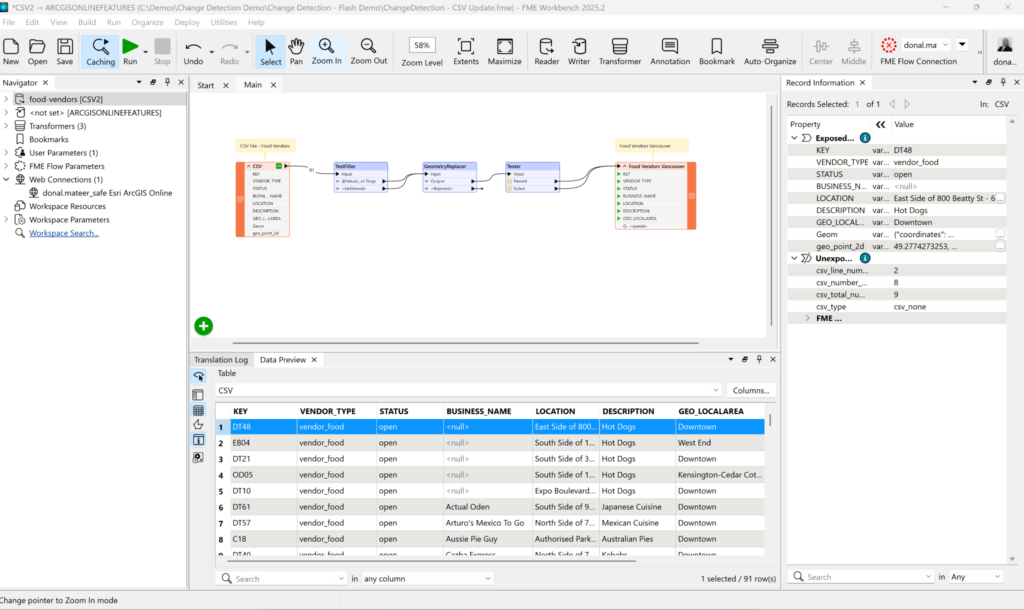
Alongside these visual refinements, you’ll find new parameter annotations. You can now attach explanatory notes directly to parameters, capturing why a decision was made rather than just what the parameter does. These notes live inside parameter dialogs, keeping the canvas uncluttered while making workspaces much easier to understand.
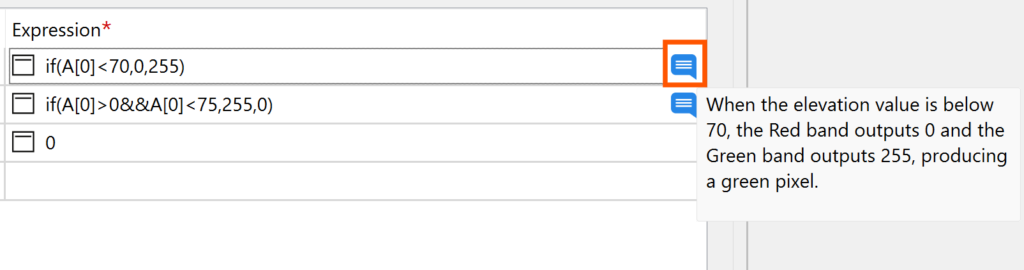
Together, these updates make complex workspaces easier to navigate, share, and maintain over time.
4. Enjoy small FME Form Delighters that smooth everyday work
Beyond big features, each major FME Form release includes “delighters,” which are small, intentional enhancements that smooth everyday work. These enhancements often come from user suggestions. For example:
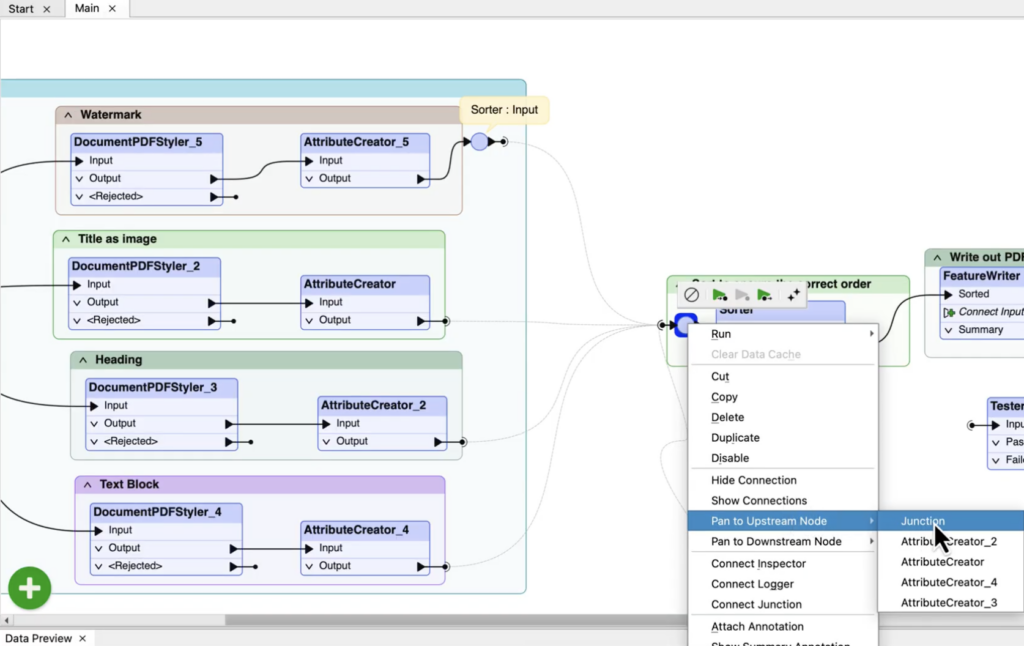
- Pan upstream/downstream by right-clicking any object on the canvas and selecting the object you want to navigate to. This makes it easy to navigate tunnels and all connected objects.
- Perform multiple string replacement patterns within a single StringReplacer transformer.
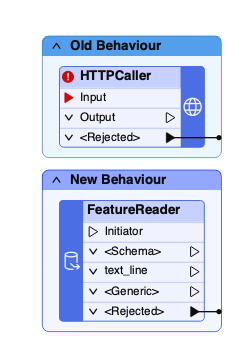
- Optional input ports mean you don’t have to add placeholder transformers like the Creator to kick off a workspace.
- Rename text descriptions in the History panel, enabling you to clearly label past edits made to a workspace.
These changes can reduce clutter, streamline repetitive setup, and make authoring feel faster and more fluid.
5. Improve security with external browser authentication
FME is moving away from embedded browser authentication and toward using your system’s default browser for OAuth- and SAML-based connections. This improved authentication aligns FME with modern security practices used by today’s cloud platforms and identity providers.
By supporting modern redirect strategies and external authentication flows, FME improves compatibility with enterprise security policies while providing a more robust, future-proof approach to credential management. Although embedded browser authentication is still available for now, it’s deprecated, making this a good time to plan migrations and avoid future disruptions.
Small changes with big impact
Each of these enhancements focuses on removing friction, improving clarity, or letting FME adapt more naturally to how you work. Together, they point toward a smoother, more focused way of working with FME in 2026 and beyond.